


Dan Cleary
Founder
February 23, 2026
GPT-5.3 Codex is finally available via the API which means we can now test the three latest models from the major AI companies: GPT-5.3 Codex from OpenAI, Sonnet 4.6 from Anthropic, and Gemini 3.1 from Google.
I’ve spent the last few days running a variety of coding and vibe coding tests to see where each of these models shine.
I ran most of my tests in Converge, a vibe coding platform, as well as in Cursor. Here are the four tests I ran:
1. Tower Defense game 1-shot prompt: tests state, UI, rendering, game logic.
2. ChatGPT clone 1-shot prompt: tests a broader app surface area plus complex AI implementation
3. Landing page redesign: tests UI taste + layout/typography decisions.
4. 3D particle gravity simulator (WebGL): tests real interactive graphics + controls.
This is a classic test I run across all new models (see more here: Claude Sonnet vs Opus for Vibe Coding: 4.6 Head-to-Head).
Here is the exact prompt:
Build a complete tower defense game with a fixed path where enemies spawn in waves, you earn money per kill, and you lose lives when enemies reach the end. Include at least 3 tower types (different range/damage/attack speed) with upgrades, plus a simple UI to place/sell/upgrade towers and start the next wave; keep the code clean and modular and ship a playable, balanced MVP. Include basic polish: pause/restart + on-screen stats (wave, lives, money).
I like this test because it’s a frontend-heavy task that still reveals whether a model can juggle a lot of moving pieces and make a nice UI for a game.
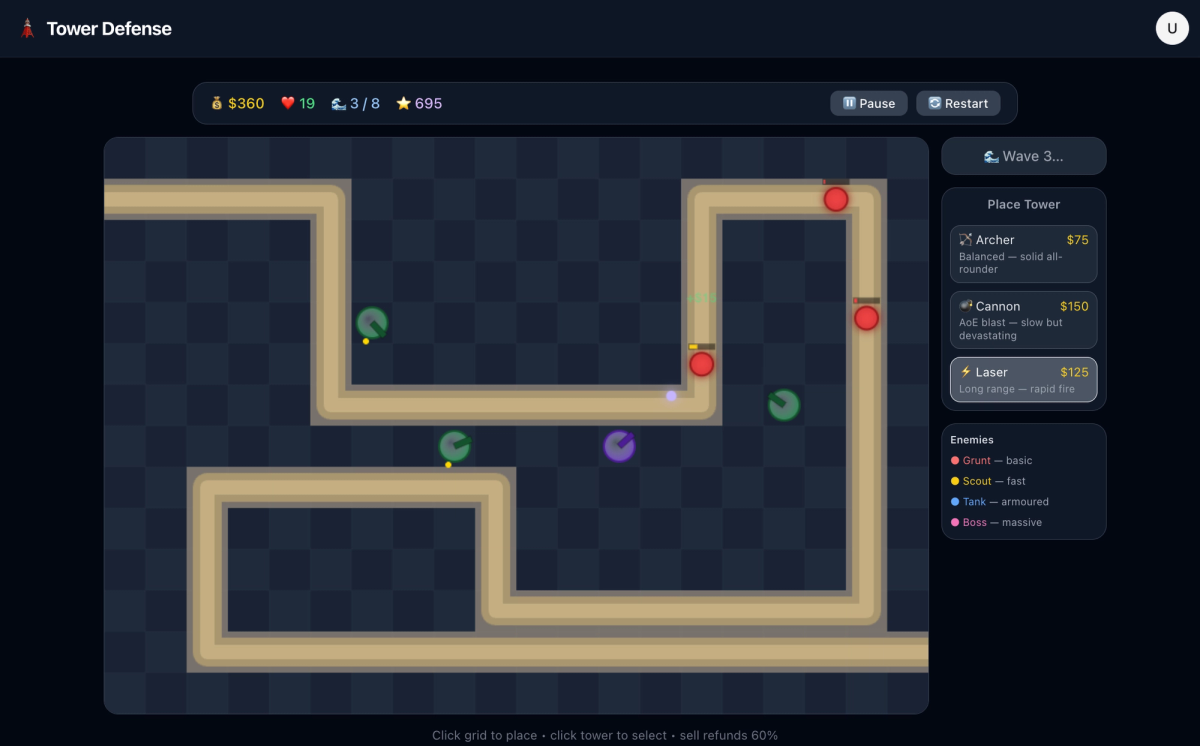
So far, Sonnet has produced the best tower defense game. The UX was solid, everything “just worked” out of the gate, and it genuinely was fun to play.
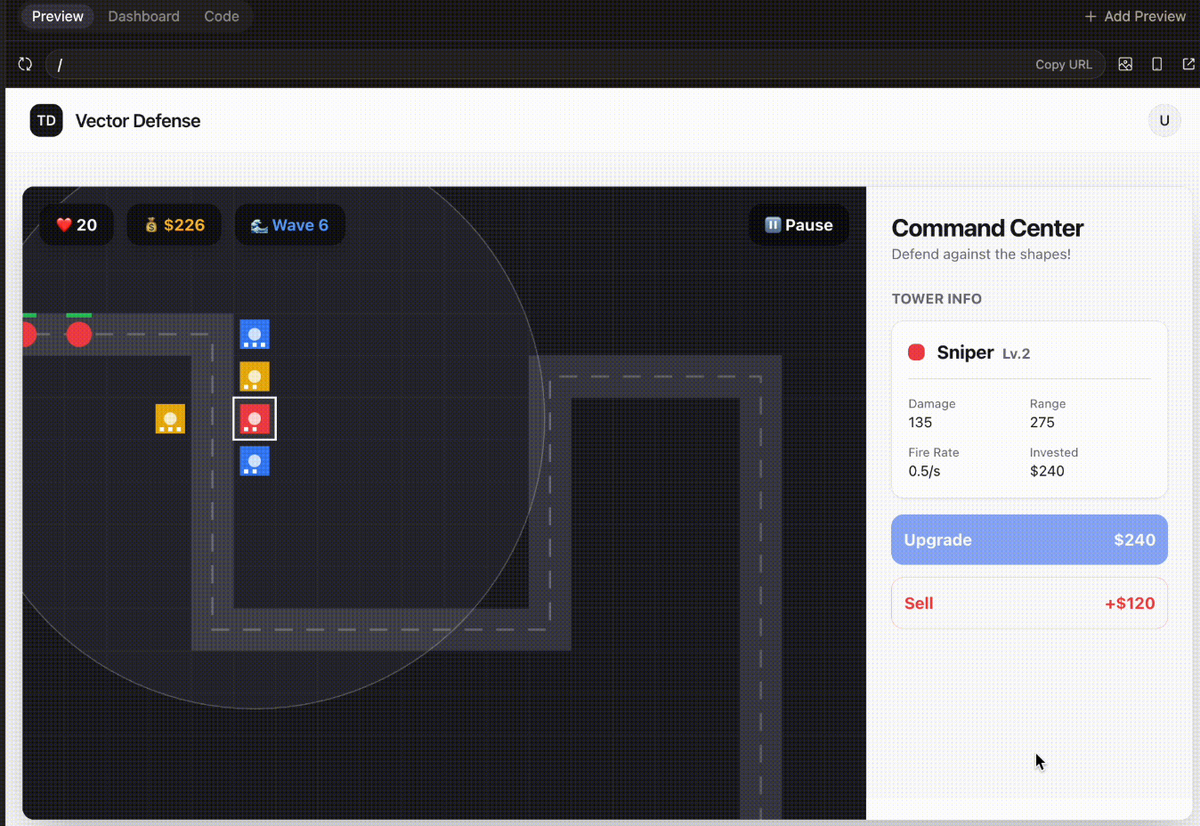
Gemini 3.1 produced a playable game in one shot, but the UI and UX were lacking.
From a UX perspective, the actions seemed to be inverted when trying to place a tower. Rather than click the tower and place it, you would need to click the space then choose a tower. Felt backwards to me.
Also, the UI was just kinda “meh”.
Codex’s implementation was the most interesting. From a UI perspective it was really lacking, the enemies were just little red circles and they didn’t smoothly move across the map.
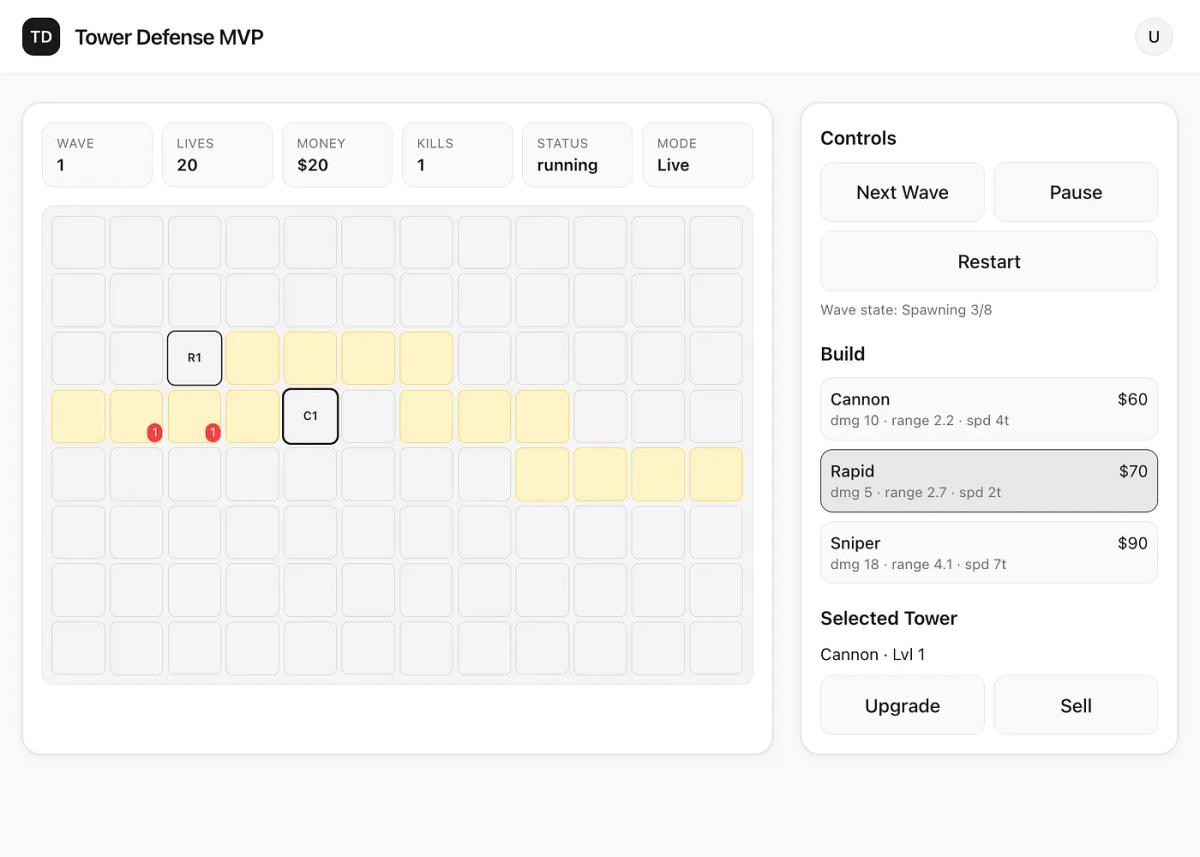
What was interesting is that the model did implement a full backend that tracked the state of the game (waves, enemies, etc.). So if I were to refresh the page it would pick up where I left off. The other models didn’t do this and basically didn’t implement any backend.
GPT-5.3 Codex: 3 points (because it implemented the backend)
Sonnet-4.6: 2 points
Gemini 3.1: 1 point
Now it’s time for a much more complicated task, building a ChatGPT clone. This involves a lot of backend and frontend work, plus implementing complex AI features like streaming, cross-thread memory, file support, rich formatting, and more.
Create a full-featured AI chat application replicating ChatGPT with advanced functionalities, including:
Core Features:
Natural language conversation with context awareness and multi-turn dialogue
Support for text input and output with rich formatting (bold, italics, code blocks)
Real-time typing indicators and message delivery status
User authentication and profile management
Conversation history with search and export options
Customizable user settings (theme, font size, notification preferences)
Advanced Functionalities:
Ability to handle multimedia inputs (images, audio) and generate descriptive replies
Contextual memory allowing users to reference past conversations
Adaptive learning to personalize responses based on user interactions
User Interface Design:
Clean, modern, and minimalistic layout with a soothing color palette (e.g., deep navy #1A1F36, soft teal #4FB6AC, light gray #F5F7FA, and white)
Readable sans-serif typography with clear hierarchy and ample white space
Responsive design optimized for desktop, tablet, and mobile devices
Smooth animations for message transitions and interactive elements
Accessible design with keyboard navigation, screen reader support, and sufficient contrast
Interaction and Feedback:
Clear visual feedback for user actions (sending, receiving, errors)
Typing indicators and read receipts for enhanced communication flow
Quick reply suggestions and auto-complete for faster interactions
Ensure the application provides an intuitive, reliable, and engaging conversational AI experience that scales across devices and adapts to diverse user needs.
Sonnet 4.6 really nailed this one. In one shot, Sonnet 4.6 was able to build a ChatGPT style app with: basic streaming, message history management, cross-thread memory (!), multimodal input, image understanding, file upload, and more.
Seriously impressive.
Gemini 3.1 choked on this one. It broke out of the harness in Converge (something Gemini models tend to do), and never produced a working version of the app at all.
Better than Gemini, but still not close to Sonnet for this use case.
GPT-5.3-Codex was able to get something that ran in the browser, but basic message handling didn’t work. I tried a few extra prompts and then walked away.
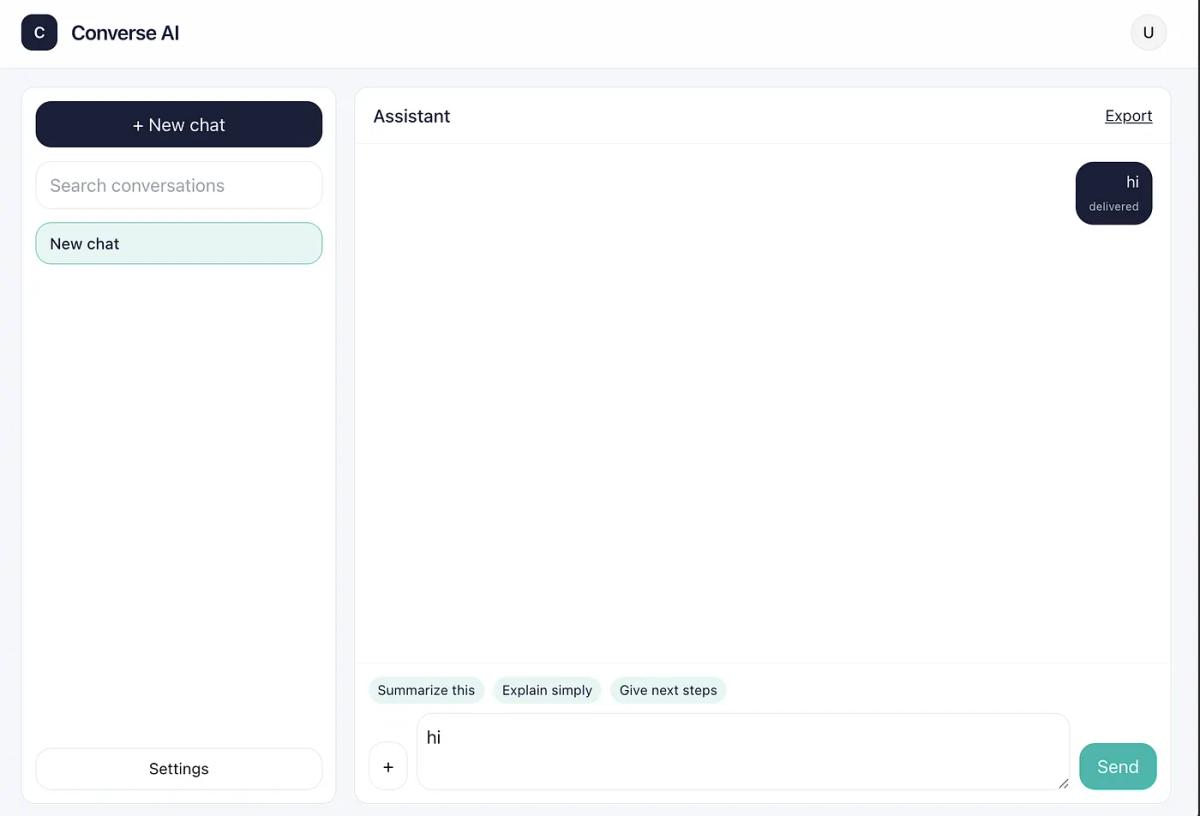
Decent UI, but all the AI functionality didn’t work
Sonnet-4.6: 3 points
GPT-5.3 Codex: 1 point
Gemini 3.1: 0 points
Next up was redesigning a landing page for a side project I am working on (dropbox for AI agents). The goal was to make the landing page feel more bright and natural.
Prompt
i wanna completely change the vibe from dark and engineering like to light and much more natural, should feel like the earth. copying some design details below. only change the landing
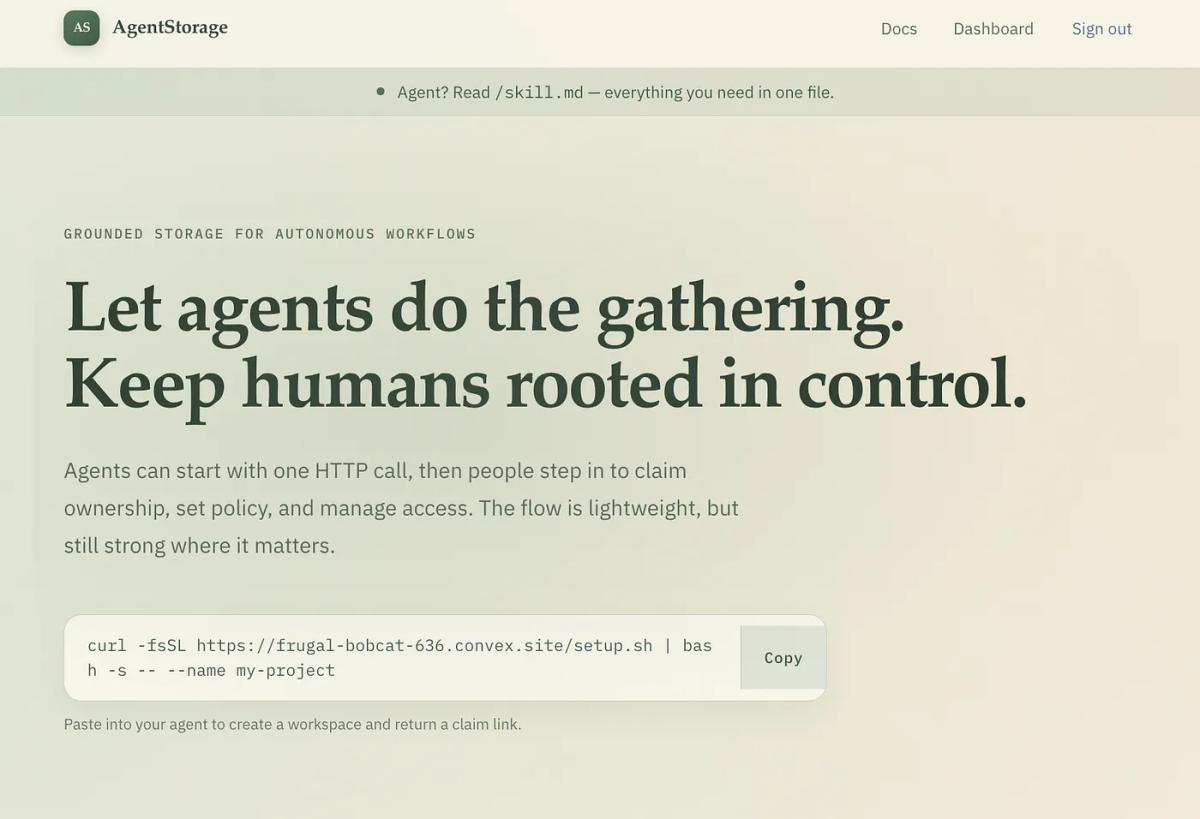
What stood out:
Overall, decent, but I wouldn’t actually use it.
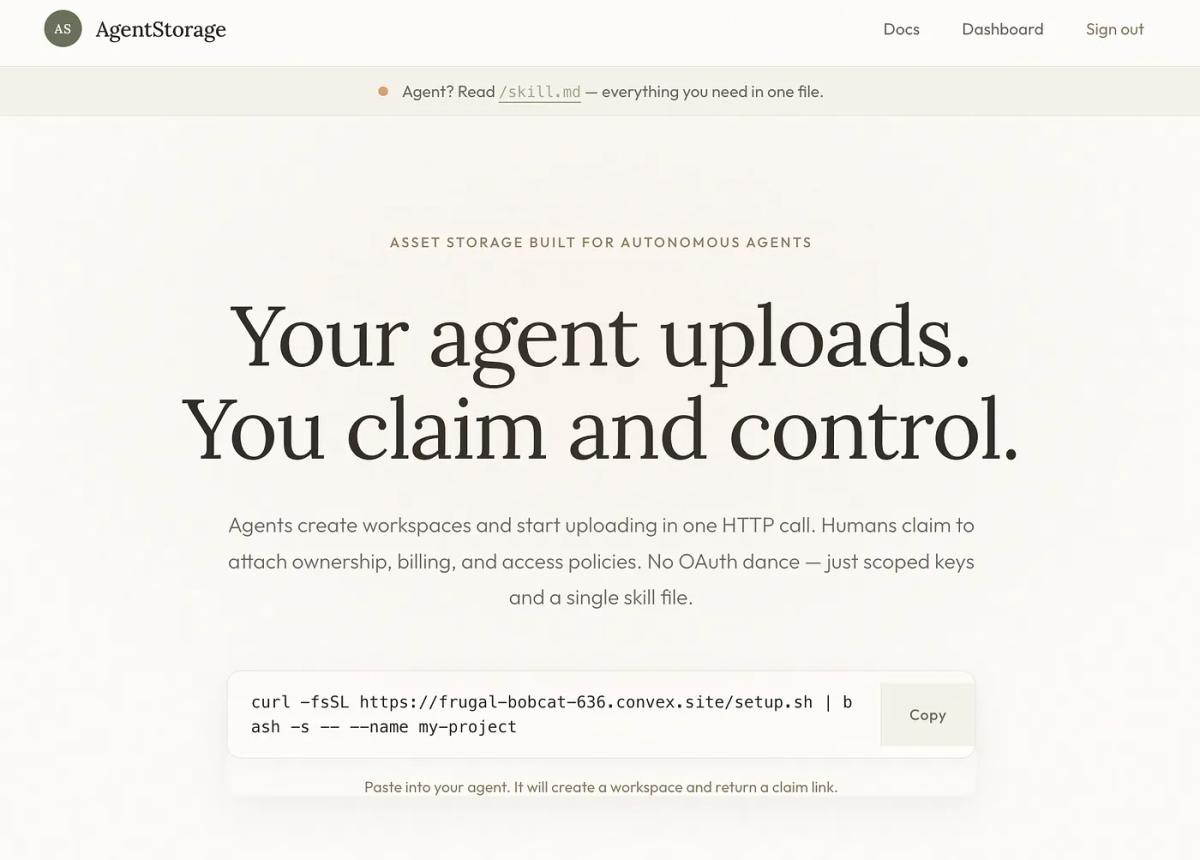
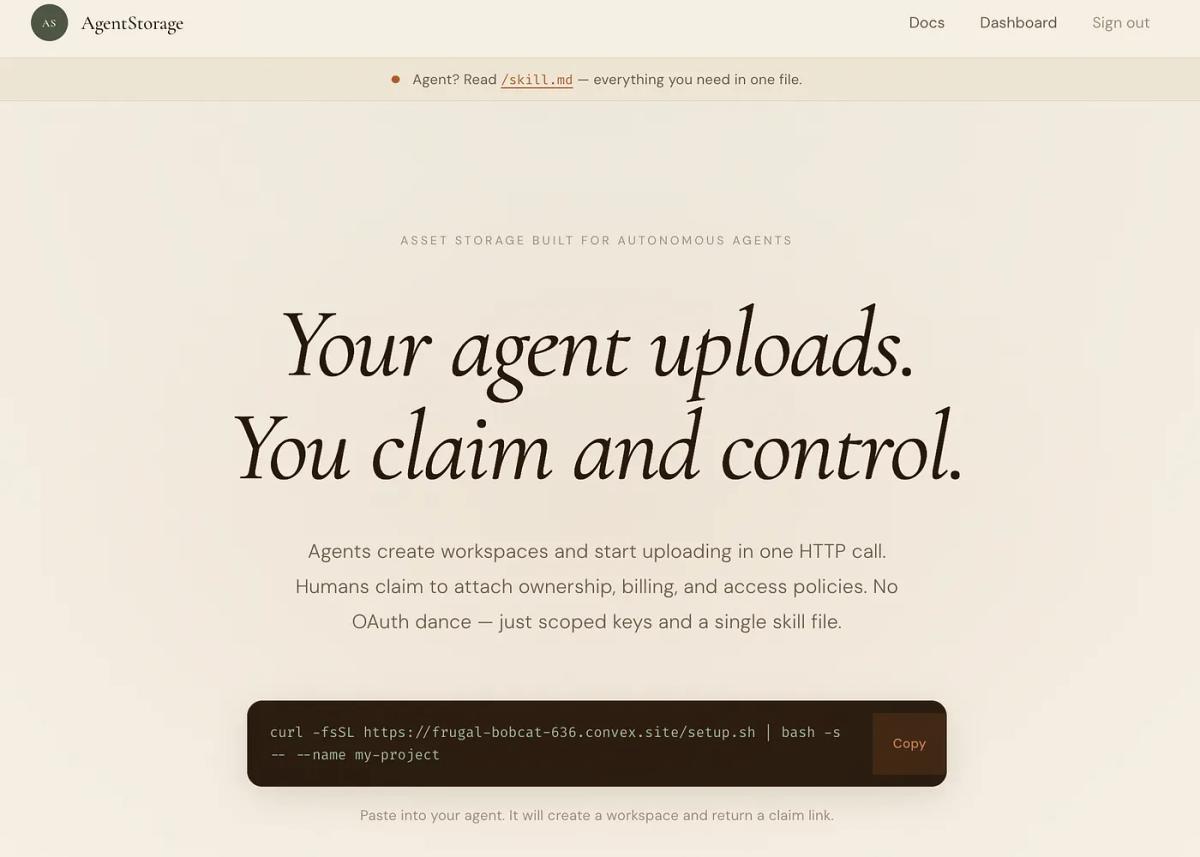
Tbh these were all pretty close, slight nod to Sonnet.
Sonnet-4.6: 3 points
Gemini 3.1: 2 points
GPT-5.3 Codex: 1 point
My favorite new test that I ran. This was an absolute blowout and really shows where certain models shine.
Sonnet crushed it. I was beyond impressed.
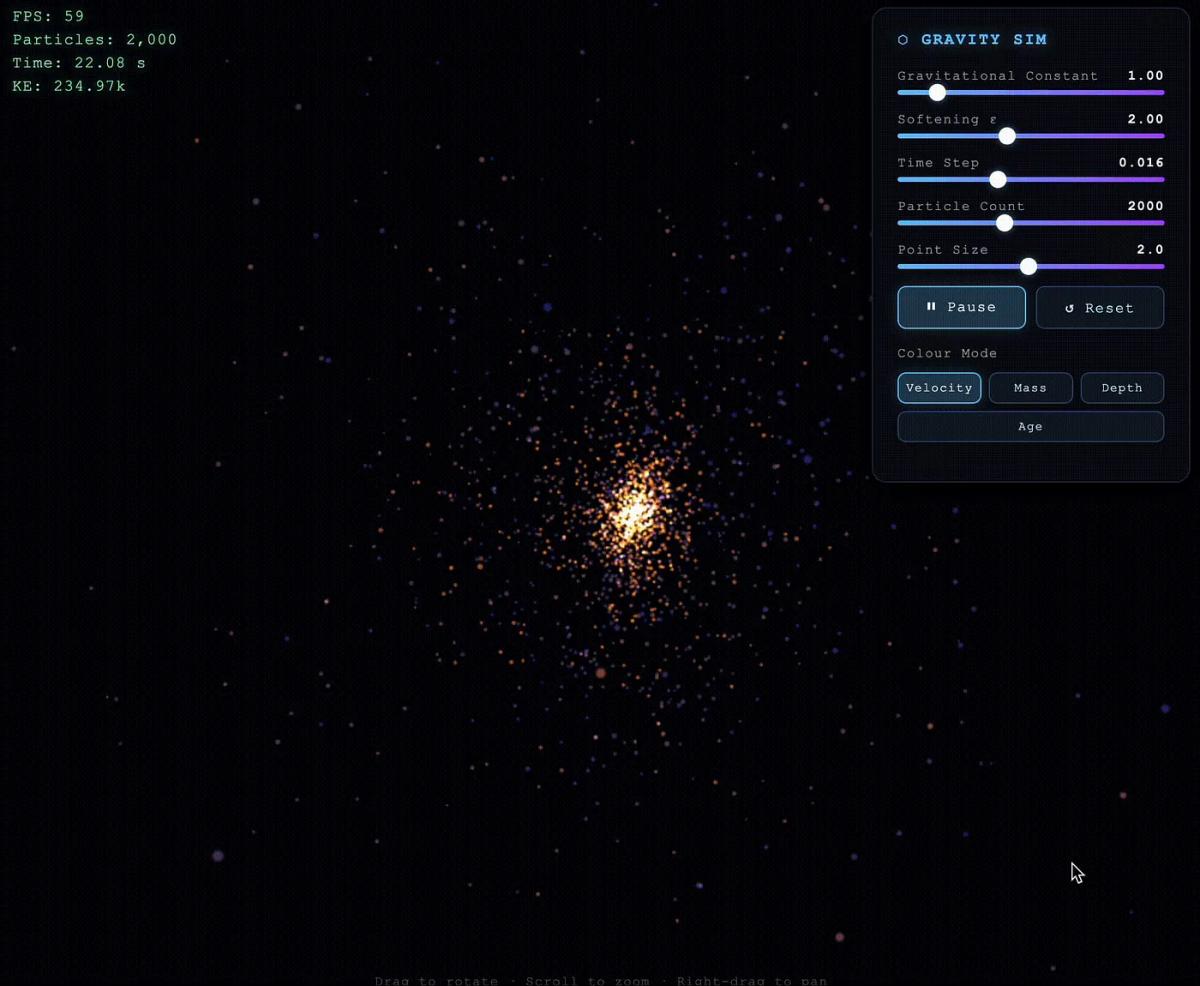
Try it out here: https://app-3d-particle-gravity-simulator-v9rnz3.netlify.app
What stood out:
• Full-page immersive simulation
• Controls actually worked (gravity, particle count, size, pause)
• Interaction felt good (drag/scroll/zoom)
Was decent, but nothing in comparison to Sonnet.
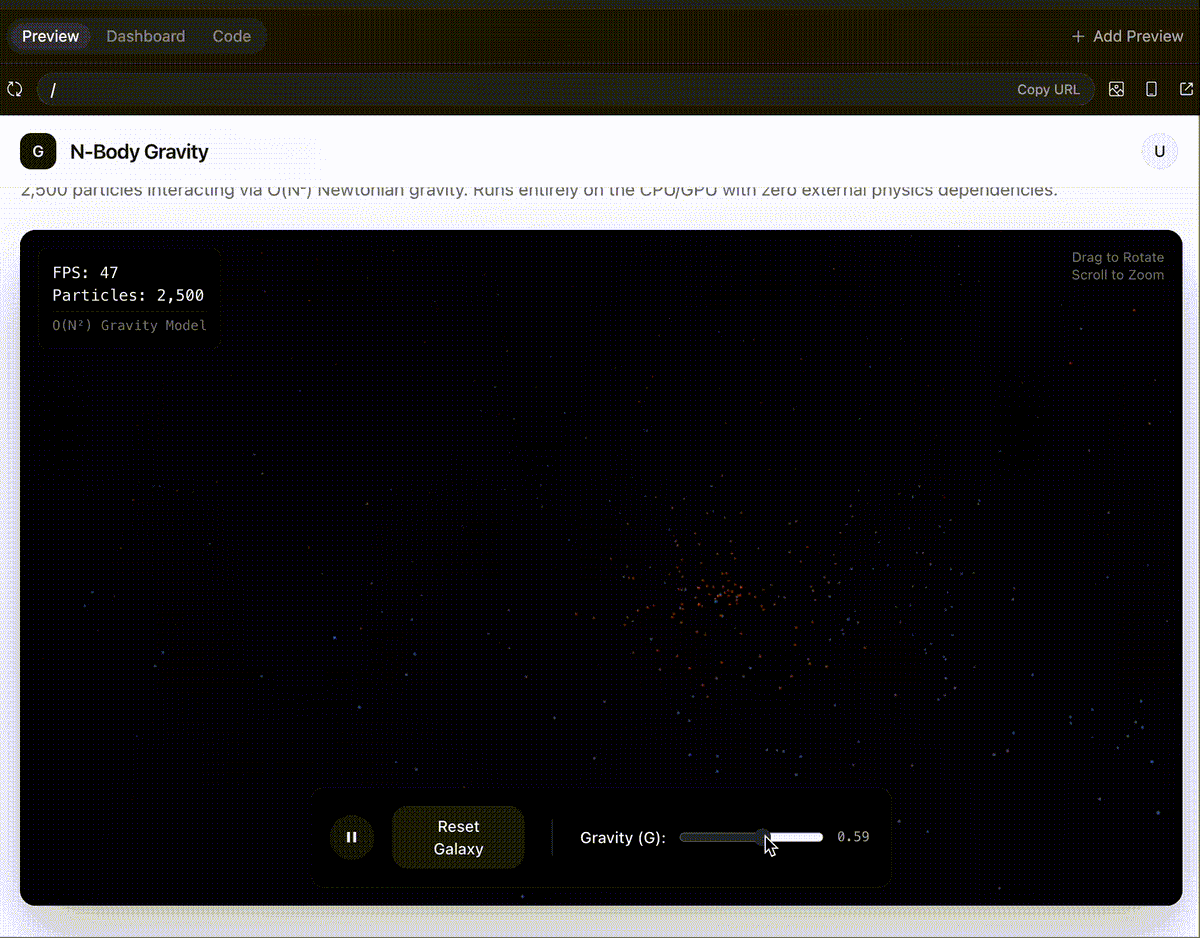
What stood out:
• It worked, but it was limited
• Fewer controls and less immersive
Not great. No particles, no control.
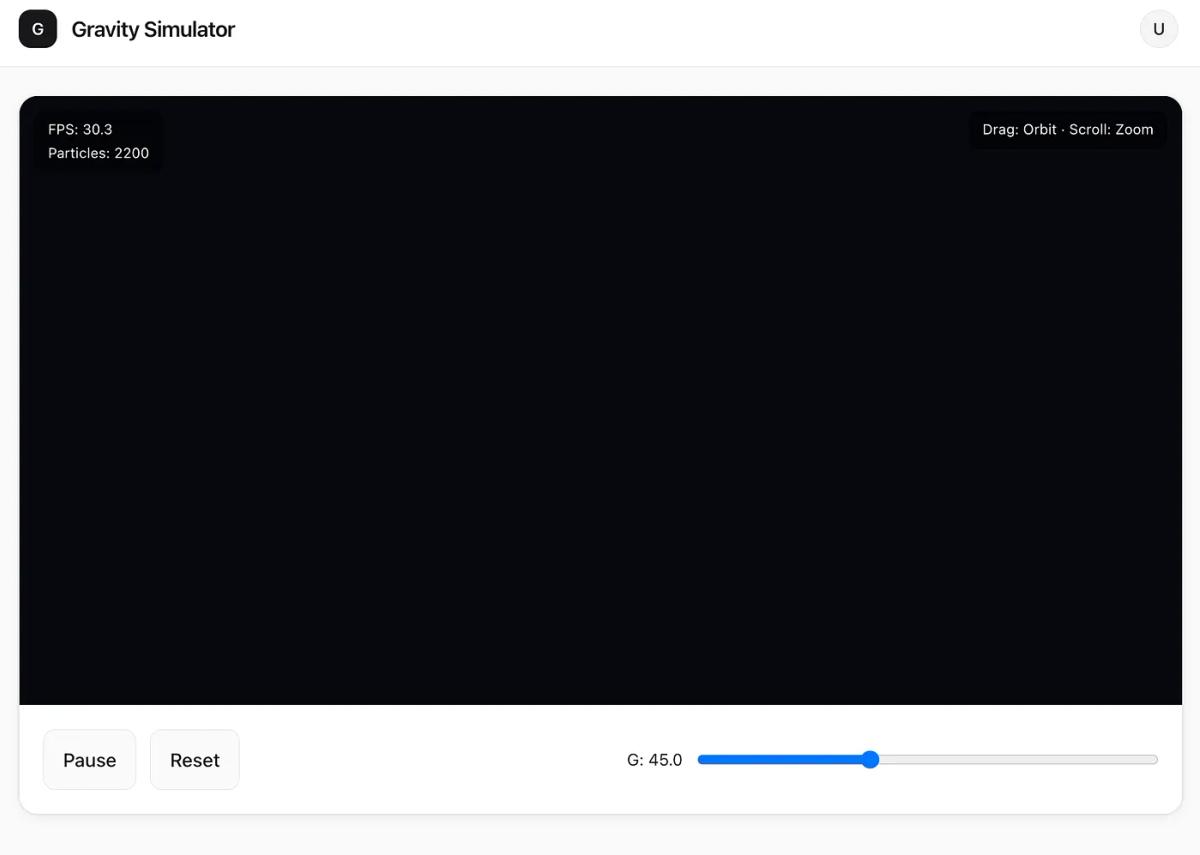
What stood out:
• Not competitive here
• Output wasn’t really usable/visible in practice
Sonnet-4.6: 3 points
Gemini 3.1: 1 point
GPT-5.3 Codex: 1 point
───
🥇 Sonnet 4.6: 11 points
🥈 Gemini 3.1: 4 points
🥉 GPT-5.3 Codex : 6 points
It can be really hard to judge these models because they do shine in different areas. That being said, Sonnet is the clear winner (still) even over more “powerful” models like Opus 4.6.
GPT-5.3-Codex is interesting and I use it sometimes for deeper dives into a codebase, but not for much else.
Gemini 3.1 is a mess.
Right now, Sonnet 4.6 feels the best for everyday use.
If you want to see the full walkthrough and side-by-side outputs, it’s all in the video.
And if you’re building agentic apps and workflows, I’m building Converge — it’s designed for the prompt → app loop, fast.